Shop owners › Every day
Reading the Overview
Members, visits, rewards and sales for any period, who hasn't come back, and what needs your attention.
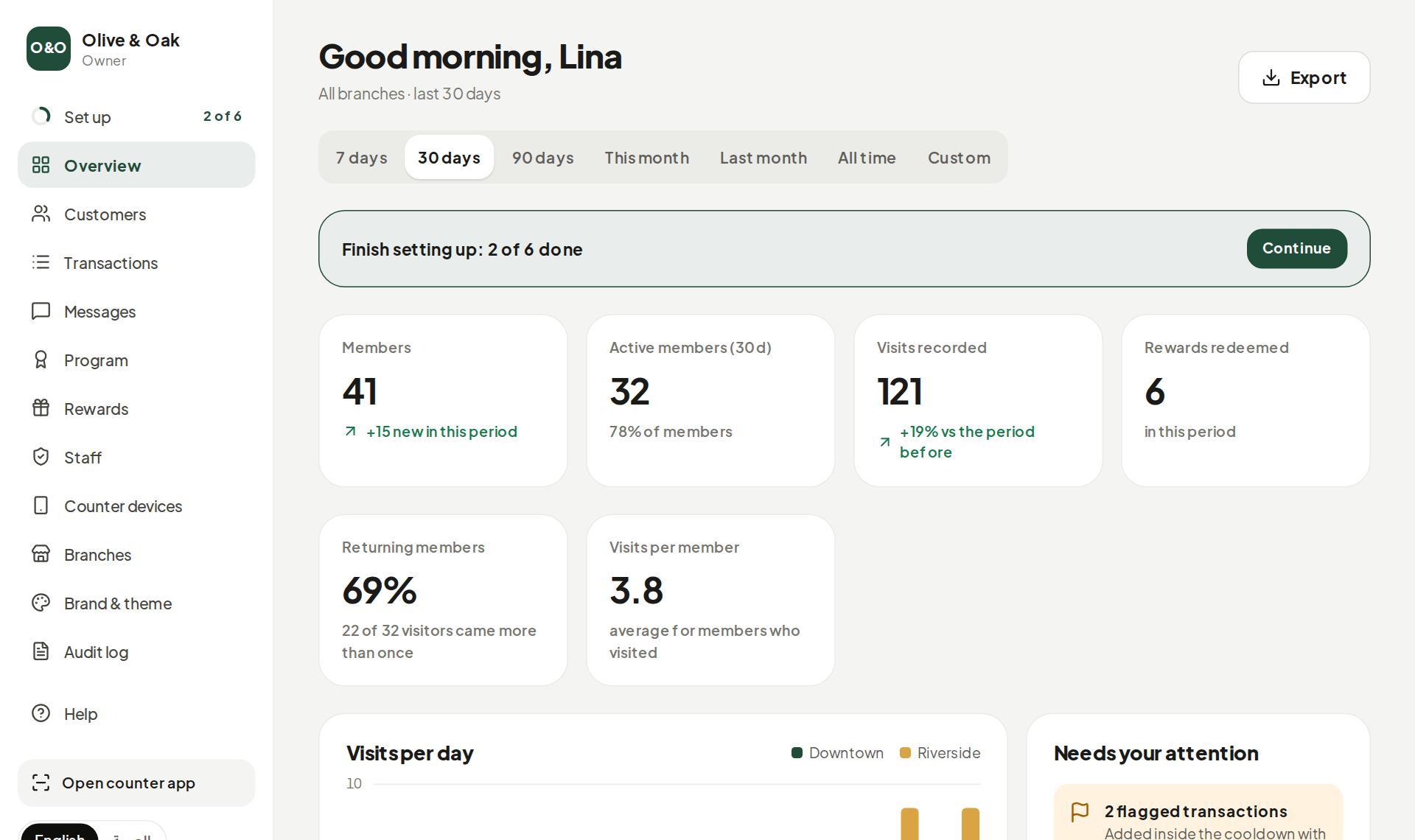
The Overview is the first page of your dashboard. Pick a period at the top: 7, 30 or 90 days, this month, last month, all time, or Custom dates.
The numbers
- Members: everyone with your card, and how many joined in the period.
- Active members (30 d): members who visited in the last 30 days.
- Visits recorded: compared with the period before.
- Rewards redeemed in the period.
- Returning members: visitors who came more than once.
- Sales through loyalty and Average bill, on a points program: the bills staff entered.
Members to act on
- Haven't come back: no visit for a while (30 days by default; change it on Program). Tap Message them to send a win-back message to their lock screen.
- Close to a reward: one visit away, or nearly enough points. A good moment to say hello.
Branches and team
The Branches and Team tables show visits, new members and rewards per branch and per person.
Needs your attention
Flagged transactions were added inside the cooldown with a reason. Corrections are reversals. Open them to check that nothing looks wrong.
Tip: Export downloads your customer list as a CSV file for a spreadsheet.
Was this page helpful?
Not reallyThanks for telling us.
Next: Customers and history →