Shop owners › Getting started
Set up your shop
Six short steps take you from a new account to your first customer. About 15 minutes, and you can stop at any time.
When you sign in for the first time, your dashboard opens on Set up. It walks you through everything on this page. Steps tick by themselves when prklo sees them done, so you never have to come back and mark them.
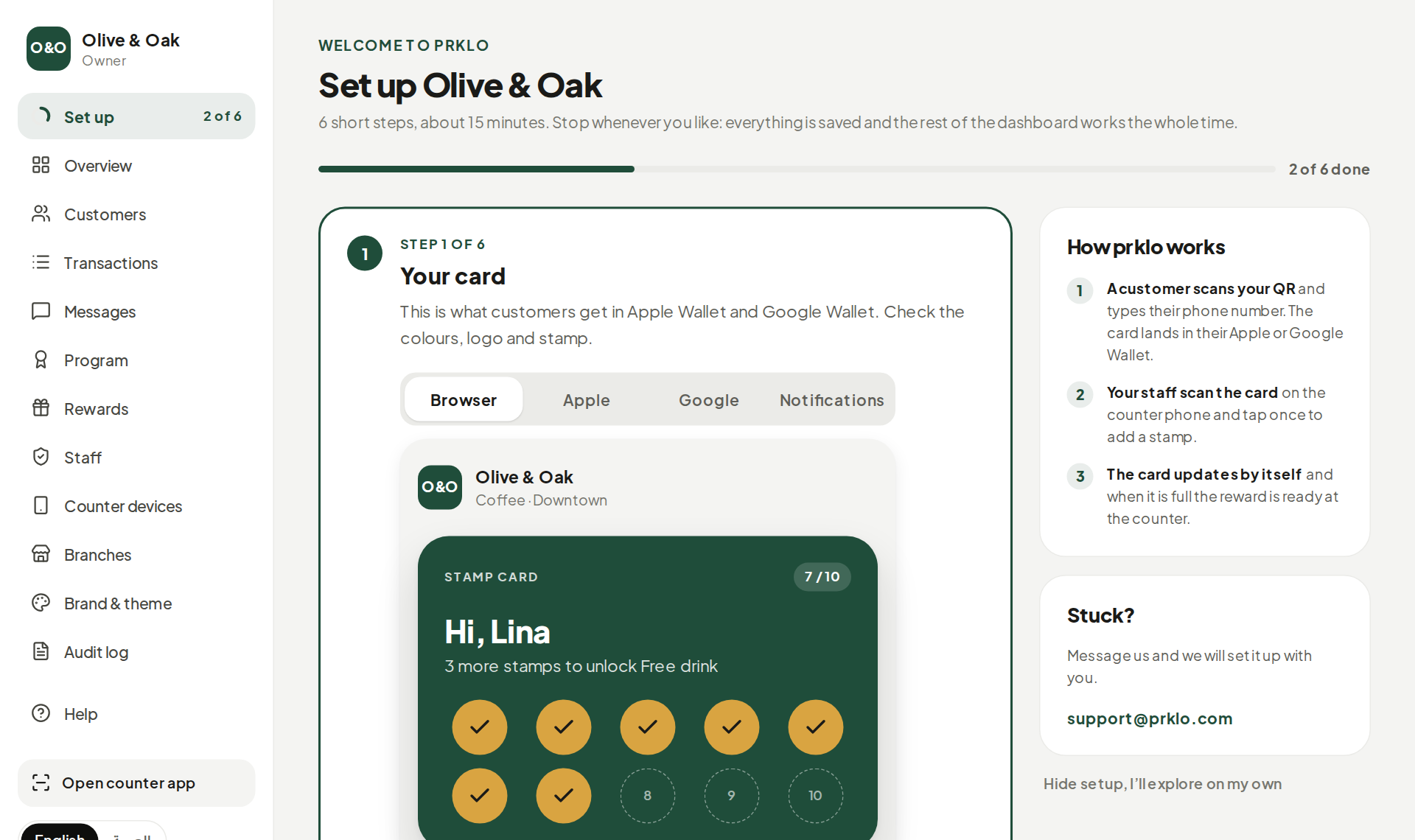
1. Check your card
This is what your customers get in Apple Wallet and Google Wallet. Look at the colours, the logo and the stamp. Want to change something? Open Brand & theme. When it looks right, tap Looks good.
2. Check your rewards
Read what customers earn on each visit and what they get for it. Change them on Program and Rewards, then tap Looks right.
3. Add the people at your counter
Each person gets a 4-digit PIN. No email or app needed. See Add your team.
Tip: on the same step, download the Counter cheat sheet. It explains the counter in one page, in your colours. Print it and keep it next to the till.
4. Set up the counter phone
Use the phone or tablet that stays at the till. Scan the code on the Set up page with it, then enter a pairing code. See Counter phones.
5. Put your QR where customers see it
Download ready-made posters in your colours: a counter poster, a wall poster, a table tent, and an Instagram post and story. See Posters and join links.
6. Try it yourself
Scan your own QR with your phone and join. Then, on the counter phone, give yourself a stamp. The step ticks as soon as your first stamp lands, and you have seen everything your customers will.
Stop and come back
Everything is saved as you go, and the rest of the dashboard works the whole time. Set up stays in the sidebar until you finish. Prefer to explore on your own? Tap Hide setup.
Stuck? Write to support@prklo.com and we will set it up with you.
Was this page helpful?
Not reallyThanks for telling us.
Next: Your card and brand →